
- Admission Open For New batch
Data Analytics Course in Hyderabad
In Association with:
Certification aligned to:

- Advanced Certification Training Program by Ethan’s.
- 6 Months technical training program with hybrid classes (online + offline), ideal for learners looking for data analyst training or data analytics classes in Hyderabad.
- Suitable for college students, graduates, postgraduates, candidates with a career gap, and early professionals.
- Start from scratch – no prior experience needed, all prerequisites will be covered.
- Next-Gen curriculum for the age of ChatGPT, Generative AI, and modern business intelligence systems.
- Future-ready content for the age of ChatGPT, Generative AI, and intelligent automation.
Batch Starting on 18th July 2026

18th Jul
Next Batch
6 Months
Course Duration
Hybrid
Online + Offline
5 LPA
Avg Package


Data Analytics Training in Hyderabad
Data Analytics Training in Hyderabad
At Ethan’s, the Data Analytics Course can help you become an expert in the thriving field of analytics and advance your career. This course covers the latest techniques and tools, including SQL, Excel, Python, data handling, Tableau, Power BI, Alteryx, and data visualization. You will also learn how to apply these tools to analyze data in a business environment and handle various scenarios that may arise.
Lecture: 24-28 | Duration: 80-90 hours | Training Mode: Classroom & Online
Register to confirm your seat. Limited seats are available.
Guest Lectures by IIT professors
Ethan's Tech Career Track
IIT Approved Mentors
Advance Curriculum
Data Analytics Training Location
- Wakad
- Kharadi
- Shivajinagar











Learn From the Masters
Our team is made up of industry experts, seasoned professionals, and passionate trainers who work together as a close-knit family. We believe in not just teaching, but inspiring and growing together — creating a learning environment that feels like home and performs like the best in the business.

Gurjeet Sir
Ex IIT Kharagpur, AI

Sachin Sir
Ex Microsoft – Azure

Vinit Sir
Ex IIT Bombay, GenAI

Alam Sir
Cloud & DevOps Architect

Jatin Sir
Ex Credit Suisse, Python

Siddhant Sir
Ex IIIT Allahabad, DSA

Raman Sir
Ex-Data Analyst, MuSigma

Anurag Sir
Ex-IIM Bangalore, GenAI

Himanshu Sir
Unlock 20,000+ Worth of Premium Bonuses 100% FREE!
Master the Best Tech Tools








About the Course
Certified Data Analytics Course Classes in Hyderabad
Learn from Industry Certified Professionals
Since its inception, Ethans Tech has helped numerous individuals become job-ready for the highly sought-after skill of Data Analytics. Our Data Analytics course is designed to be concise, yet comprehensive, and includes several projects that equip attendees with the necessary knowledge to succeed in any interview they apply for. Our expert trainers provide training on both weekends and weekdays, making it convenient for everyone. As a leading coaching center in Hyderabad, we have a proven track record of providing a solid foundation in Data Analytics from scratch.
Our industry mentors from various MNCs designed the Data Analytics Course at Ethans Tech. After several discussions, we created a comprehensive syllabus that focuses on practical and project-based learning. Our training provides an end-to-end understanding of the technology and helps students build a strong foundation in the subject.
What is Data Analytics all about?
Data Analytics is an extensive field that involves using specialized computer tools to extract meaning from raw data, enabling industries and organizations to gain valuable insights. It can be used to conduct surveys, and polls, and analyze public opinions, among other applications. Ultimately, the goal of data analytics is to help organizations make data-driven decisions based on factual evidence and insights, which can lead to improved performance and better outcomes.
Which are the different types of Data Analytics?
Data Analytics is generally categorized into four main verticals, which are:
Descriptive Analytics: This type of analytics enables developers and organizations to answer various questions about occurrences or situations.
Diagnostic Analytics: This type of analytics helps developers and organizations to understand why a particular situation occurred or why it happened.
Predictive Analytics: This type of analytics helps organizations understand trends and predict future events.
Prescriptive Analytics: This type of analytics helps organizations determine what steps should be taken in response to situations or events that may occur in the future.
Why choose Ethans Tech for Data Analytics Course?
The Data Analytics course at Ethans Tech provides hands-on exposure facilitated by industry experts from numerous MNCs. The course is designed after a series of brainstorming sessions and thoughtful discussions, with the aim of equipping individuals with the necessary skills to kickstart their careers in any IT project.
In addition, the program includes a job assistance program to help students find their dream job. Through collaborations with top-notch organizations, Ethans Tech helps its student’s secure roles in their preferred industries. Moreover, the institution provides guidance in interview preparation and resume building, giving students a competitive edge in the job market. With Data Analytics Classes in Hyderabad at Ethans Tech, students are well-equipped to take on the IT industry and achieve their career goals.
How do Ethans provide the training?
The course has been meticulously designed by industry mentors hailing from various MNCs, after a series of brainstorming sessions and thoughtful discussions. Its objective is to equip individuals to work comfortably on any related IT projects. In addition to regular sessions, we provide individual mentoring to build a strong social profile with a good number of use cases and the same application code. We encourage students to write blogs and offer self-placed sample projects to create a robust portfolio. We mentor individuals on technical discussion and the approach to presenting themselves better. We have collaborations with multiple top-notch branches that help our students switch domains and companies. We also conduct resume-building and grooming sessions, which boost the confidence of our students. Moreover, our students are added to our placements forum, where they get access to multiple job references from our big pool of faculties and strong network, and we maintain a technical discussion forum to address their technical queries. On successful completion of the course, Ethans Tech provides a course completion certificate post-assessment of the assigned projects, which is a feather in one’s cap.
What is the focus of the study in data analytics?
The focus of the study in data analytics is to extract valuable insights and information by carefully examining and interpreting data. This involves using various statistical and computational techniques to identify patterns, trends, and correlations in large datasets. The ultimate goal is to provide data-driven insights that can help organizations make informed decisions based on facts and evidence, rather than intuition or assumptions.
Course Availability in Hyderabad
Data Analytics Certification Training locations in Hyderabad: Abids [500001], Ameerpet [500016], Banjara Hills [500034], Begumpet [500016], Bowenpally [500011], Charminar [500002], Gachibowli [500032], Hi-Tech City [500081], Jubilee Hills [500033], Kondapur [500084], Kukatpally [500072], Madhapur [500081], Miyapur [500049], Nampally [500001], Secunderabad [500003], Uppuguda [500053], Mahatma Gandhi Road [500003], Himayatnagar [500029], Toli Chowki [500008]
Syllabus
Data Analytics Training in Hyderabad
Data Analytics Training Content
Introduction to Computer Programming (Python)
- Programming Foundation Concepts
- Basic Terminology
- Data Types and Variables
- Operators and Expressions
- Control Structures
- Functions and Procedures
- Recursion
- Basic Algorithms
- Object-Oriented Concepts
- Classes and Objects
- Inheritance
- Polymorphism
- Encapsulation
- Abstraction
- Method Overriding
- Constructor and Destructor
- Getting Started with Python
- History of Python
- Python Features
- Python 2 vs Python 3
- Installing Python
- Running Python Scripts
- Python Syntax and Semantics
- Python Development Environments
- Python Installation and Setup
- Python 3.X Installation Guide
- Introduction to Anaconda Python
- IDEs: Jupyter Notebook, PyCharm, and VS Code
- Setting Up Virtual Environments
- Package Management with pip and conda
- Python Built-in Objects
- Numbers (int, float, complex)
- Strings
- Lists
- Tuples
- Sets
- Dictionaries
- Type Conversion
- Control Flow in Python
- Conditional Statements (if, elif, else)
- Looping Statements (for, while)
- Nested Loops
- Loop Control Statements (break, continue, pass)
- Comprehensions (List, Dict, Set)
- Conditional Expressions
- Functions in Python
- User Defined Functions
- Lambda Functions
- Function Arguments (default, keyword, arbitrary)
- Return Statement
- Recursion
- Built-in Functions
- Higher-Order Functions
- String Handling in Python
- String Creation and Operations
- String Methods
- String Formatting
- Regular Expressions
- String Slicing
- Escape Characters
- Unicode Strings
- Data Structures in Python
- List Operations and Methods
- Dictionary Operations and Methods
- Set Operations and Methods
- Tuple Operations and Methods
- Working with Stacks and Queues
- Comprehensions
- Collections Module
- File Handling in Python
- Reading and Writing Files
- File Methods
- File Modes
- Handling Binary Files
- Working with CSV Files
- Context Managers
- File Path Operations
- Python Libraries and Modules
- Standard Library Overview
- Commonly Used Libraries (os, sys, math, datetime)
- Importing Modules
- Creating User Defined Modules
- User Defined Packages
- Working with init.py
- Packaging and Distribution (whl Packaging)
- Advanced Python Concepts
- Object Oriented Python
- Exception Handling
- Debugging Techniques
- Iterators and Generators
- Decorators
- Context Managers
- Metaprogramming
- Database Interface with Python
- Introduction to Databases
- SQLite in Python
- CRUD Operations
- Connecting to Sqlite
- Database Connection Pooling
- Handling Transactions
- Working with Data Formats
- Introduction to JSON Data
- Parsing JSON
- Creating JSON
- Working with XML
- Using CSV Module
- pickle Module for Serialization
- YAML Format
- Web Programming with Python
- Requests Module
- Web Scraping with BeautifulSoup
- Using Scrapy for Advanced Scraping
- Working with APIs
- Numerical Computation with Numpy
- Introduction to Numpy
- Numpy Arrays
- Array Indexing and Slicing
- Array Operations
- Broadcasting
- Numpy Functions
- Working with Matrices
- Data Manipulation with Pandas
- Introduction to Pandas
- Series and DataFrame
- Reading and Writing Data
- Data Cleaning
- Data Transformation
- Merging and Joining
- Data Aggregation
Introduction to RDBMS Database (SQL)
- Introduction of RDBMS
- Definition of RDBMS
- Characteristics of RDBMS
- Advantages of using RDBMS
- Data Models in RDBMS
- Keys in RDBMS (Primary Key, Foreign Key)
- RDBMS vs. NoSQL
- Popular RDBMS Software
- Installing and Using MySQL
- System Requirements for MySQL
- Downloading and Installing MySQL
- Configuring MySQL Server
- MySQL Workbench Overview
- Connecting to MySQL Server
- Basic MySQL Commands
- MySQL User Management
- Querying Single Table
- SELECT Statement Basics
- Filtering Data with WHERE Clause
- Sorting Data with ORDER BY Clause
- Using LIMIT to Restrict Rows
- Aggregation Functions (COUNT, SUM, AVG)
- Grouping Data with GROUP BY
- Handling NULL Values
- Modifying Data and Table Structures
- Inserting Data (INSERT INTO)
- Updating Data (UPDATE)
- Deleting Data (DELETE)
- Modifying Table Structure (ALTER TABLE)
- Dropping Tables and Databases
- Adding and Removing Columns
- Renaming Tables and Columns
- Querying Multiple Tables
- Introduction to Joins
- Inner Join
- Left Join
- Right Join
- Full Outer Join
- Cross Join
- Using Aliases for Table Names
- Constraints of SQL
- Primary Key Constraints
- Foreign Key Constraints
- Unique Constraints
- Not Null Constraints
- Check Constraints
- Default Constraints
- Enforcing Constraints in MySQL
- Importing and Exporting Data
- Importing Data from CSV Files
- Exporting Data to CSV Files
- Using MySQL Workbench for Import/Export
- Using LOAD DATA INFILE
- Using SELECT INTO OUTFILE
- Data Formats for Import/Export
- Handling Errors During Import/Export
- Working With Expressions
- Arithmetic Expressions
- String Expressions
- Date and Time Expressions
- Logical Expressions
- Conditional Expressions (CASE)
- Using Functions in Expressions
- Combining Expressions
- Database Normalization
- Introduction to Normalization
- First Normal Form (1NF)
- Second Normal Form (2NF)
- Third Normal Form (3NF)
- Boyce-Codd Normal Form (BCNF)
- Advantages of Normalization
- Denormalization
- Grouping and Summarizing Data
- Using GROUP BY Clause
- Using HAVING Clause
- Aggregate Functions (SUM, AVG, MAX, MIN)
- Counting Rows with COUNT
- Grouping Sets and Rollup
- Pivoting Data
- Summarizing Data with Subqueries
- Triggers & Cursor
- Introduction to Triggers
- Creating Triggers in MySQL
- BEFORE and AFTER Triggers
- Row-Level and Statement-Level Triggers
- Managing Trigger Execution Order
- Debugging Triggers
- Use Cases for Triggers
- Introduction to Cursors
- Declaring Cursors in MySQL
- Opening and Closing Cursors
- Fetching Data with Cursors
- Cursor Looping
- Handling Exceptions in Cursors
- Use Cases for Cursors
- Functions
- Built-in Functions in MySQL
- String Functions (CONCAT, LENGTH)
- Numeric Functions (ROUND, CEIL)
- Date and Time Functions (NOW, DATE_ADD)
- Aggregate Functions (SUM, AVG)
- Creating User-Defined Functions
- Using Functions in Queries
- Designing and Creating a Database
- Database Design Principles
- Entity-Relationship (ER) Modeling
- Creating ER Diagrams
- Defining Tables and Relationships
- Choosing Data Types
- Setting Up Primary and Foreign Keys
- Implementing Business Rules with Constraints
- Exploring and Processing on Data
- Data Exploration Techniques
- Descriptive Statistics in SQL
- Data Cleaning and Transformation
- Data Integration from Multiple Sources
- Using Subqueries for Data Processing
- Analyzing Data Patterns
- Using SQL for Data Reporting
- Advanced Querying Techniques
- Subqueries and Nested Queries
- Common Table Expressions (CTEs)
- Window Functions
- Recursive Queries
- Dynamic SQL
- Query Optimization Techniques
- Advanced Join Operations
Microsoft Excel
- Introduction to Excel
- Excel Interface Overview
- Navigating the Ribbon
- Understanding Worksheets and Workbooks
- Creating and Saving Workbooks
- Data Entry and Editing
- Customizing the Quick Access Toolbar
- Excel File Formats
- Basics of Excel
- Basic Data Types (Numbers, Text, Dates)
- Basic Excel Operations (Copy, Cut, Paste)
- Autofill and Flash Fill
- Sorting and Filtering Data
- Basic Cell Formatting (Font, Color, Alignment)
- Using the Clipboard
- Adjusting Column Width and Row Height
- Excel Formula
- Basic Arithmetic Formulas (SUM, SUBTRACT, MULTIPLY, DIVIDE)
- AutoSum Function
- Cell References (Relative, Absolute, Mixed)
- Common Statistical Functions (AVERAGE, MEDIAN, MODE)
- Text Formulas (CONCATENATE, LEFT, RIGHT)
- Date Formulas (TODAY, NOW, DATE)
- Logical Formulas (IF, AND, OR)
- Formula Based Formatting
- Conditional Formatting Rules
- Highlighting Cells Based on Values
- Data Bars, Color Scales, and Icon Sets
- Custom Conditional Formatting
- Managing Conditional Formatting Rules
- Using Formulas in Conditional Formatting
- Applying Conditional Formatting to Pivot Tables
- Conditional Statements & Logical Operators
- IF Statements
- Nested IF Statements
- AND, OR Operators
- NOT Operator
- Combining Multiple Conditions
- Using IF with Text, Numbers, and Dates
- Conditional Formatting with Logical Operators
- Text Functions
- CONCATENATE (or CONCAT)
- LEFT, RIGHT, MID
- LEN and TRIM
- UPPER, LOWER, PROPER
- SUBSTITUTE and REPLACE
- FIND and SEARCH
- TEXT Function for Formatting Numbers and Dates
- Date and Time Functions
- TODAY and NOW
- DATE and TIME
- DAY, MONTH, YEAR
- HOUR, MINUTE, SECOND
- DATEDIF
- NETWORKDAYS
- EDATE and EOMONTH
- Excel Tables
- Creating and Formatting Excel Tables
- Table Styles and Options
- Sorting and Filtering Tables
- Adding and Removing Table Rows/Columns
- Structured References
- Table Calculations and Totals
- Converting Table to Range
- Basic and Advanced Table Operations
- Creating Dynamic Tables
- Using Table Formulas
- Advanced Filtering Techniques
- Using Slicers with Tables
- Advanced Sorting Techniques
- Working with Subtotals
- Merging and Splitting Tables
- Data Pivoting with Different Examples
- Creating PivotTables
- PivotTable Fields and Areas
- Grouping Data in PivotTables
- PivotTable Calculations (Sum, Count, Average)
- Creating Pivot Charts
- Filtering PivotTables with Slicers and Timelines
- Advanced PivotTable Techniques (Calculated Fields, Custom Calculations)
- Cell Reference Functions
- Understanding Cell References
- Using Relative References
- Using Absolute References
- Mixed References
- INDIRECT Function
- OFFSET Function
- Linking Cells Between Sheets and Workbooks
- LookUp and VLookUp
- Introduction to LookUp Functions
- VLOOKUP Basics
- HLOOKUP Basics
- Using VLOOKUP with Exact and Approximate Match
- Combining VLOOKUP with Other Functions
- Common VLOOKUP Errors and Fixes
- Alternatives to VLOOKUP (INDEX and MATCH)
- Excel Data Visualization
- Creating Basic Charts (Column, Line, Pie)
- Customizing Chart Elements (Titles, Legends, Labels)
- Using Sparklines for Miniature Charts
- Creating Combo Charts
- Using Conditional Formatting for Data Visualization
- Creating Heat Maps
- Using Data Bars and Color Scales
- Basic Charts in Excel
- Creating Column Charts
- Creating Line Charts
- Creating Pie Charts
- Creating Bar Charts
- Creating Area Charts
- Creating Scatter Plots
- Customizing Chart Types and Styles
- Formatting Charts
- Adding and Formatting Chart Titles
- Customizing Axes (Titles, Scales, Gridlines)
- Formatting Data Series (Colors, Styles)
- Adding Data Labels and Legends
- Applying Chart Styles and Themes
- Using Templates for Charts
- Interactive Charts with Form Controls
- Introduction to Power Query
- What is Power Query?
- Power Query Interface Overview
- Loading Data into Power Query
- Basic Data Transformation (Filter, Sort, Remove Columns)
- Combining Data from Multiple Sources
- Data Profiling in Power Query
- Saving and Loading Data to Excel
- Creating Reports in Excel with Dataset
- Data Preparation and Cleaning
- Using PivotTables for Reports
- Combining Multiple Data Sources
- Adding Visual Elements (Charts, Sparklines)
- Creating Interactive Dashboards
- Automating Report Updates
- Distributing and Sharing Reports
- VBA and Macros
- Introduction to VBA and Macros
- Recording and Running Macros
- Editing Macro Code
- VBA Basics (Variables, Loops, Conditionals)
- Writing Custom Functions
- Automating Tasks with VBA
- Debugging and Error Handling in VBA
- Power Query Editor
- Navigating the Power Query Editor
- Applying Basic Transformations (Replace Values, Remove Duplicates)
- Advanced Transformations (Pivot/Unpivot, Group By)
- Creating Custom Columns
- Merging Queries
- Appending Queries
- Managing Query Steps
Power BI
- Introduction to Power BI
- What is Power BI?
- Power BI Components (Desktop, Service, Mobile)
- Power BI Architecture
- Power BI Use Cases
- Business Intelligence Concepts
- Power BI Licensing Overview
- Installing and Getting Started with Power BI
- Installing Power BI Desktop
- Understanding Power BI Interface
- Power BI Desktop vs Power BI Service
- Connecting to Sample Data
- Creating First Power BI Report
- Data Sources in Power BI
- Connecting to Excel Files
- Connecting to CSV and Text Files
- Connecting to Databases (SQL Server, MySQL)
- Connecting to Web and APIs
- Import vs DirectQuery Mode
- Live Connection
- Power Query in Power BI
- Introduction to Power Query Editor
- Data Cleaning and Transformation
- Removing Duplicates and Null Values
- Splitting and Merging Columns
- Changing Data Types
- Filtering and Sorting Data
- Applying and Managing Query Steps
- Data Modeling
- Understanding Data Models
- Creating Relationships
- Cardinality and Cross Filter Direction
- Star Schema and Snowflake Schema
- Managing Data Tables
- Handling Multiple Fact Tables
- DAX Basics
- Introduction to DAX
- Calculated Columns
- Measures
- DAX Syntax and Operators
- Basic DAX Functions (SUM, COUNT, AVERAGE)
- Using Variables in DAX
- Advanced DAX Functions
- Time Intelligence Functions (YTD, MTD, QTD)
- CALCULATE Function
- FILTER Function
- ALL and ALLEXCEPT
- RELATED and LOOKUPVALUE
- RANKX Function
- Handling Blanks and Errors
- Power BI Visualizations
- Basic Visuals (Table, Matrix, Cards)
- Charts (Bar, Column, Line, Pie)
- Maps and Geographical Visuals
- Custom Visuals from Marketplace
- Formatting Visuals
- Sorting and Filtering Visuals
- Advanced Visualizations
- Drill Down and Drill Through
- Tooltips
- Slicers and Filters
- Bookmarks
- Buttons and Navigation
- Conditional Formatting
- Power BI Reports and Dashboards
- Creating Interactive Reports
- Designing Dashboards
- Combining Multiple Pages
- Applying Themes
- Optimizing Report Performance
- Publishing and Sharing Reports
- Publishing Reports to Power BI Service
- Creating Dashboards in Power BI Service
- Sharing Reports and Dashboards
- Managing Workspaces
- Row Level Security (RLS)
- Power BI Refresh and Automation
- Scheduled Data Refresh
- Using Gateways
- Incremental Refresh
- Monitoring Dataset Refresh
- Handling Refresh Errors
- Power BI Best Practices
- Data Modeling Best Practices
- DAX Performance Optimization
- Report Design Guidelines
- Security Best Practices
- Version Control Concepts
- Power BI Project & Case Studies
- End-to-End Power BI Project
- Business Case Study Implementation
- Real-time Dataset Analysis
- Dashboard Presentation
- Interview-Oriented Project Discussion
Tableau
- Introduction to Tableau
- What is Tableau?
- Tableau Products (Tableau Desktop, Tableau Server, Tableau Online, Tableau Public)
- Tableau Architecture
- Business Intelligence Concepts
- Tableau Use Cases
- Installing and Getting Started with Tableau
- Installing Tableau Desktop
- Understanding Tableau Interface
- Connecting to Sample Data
- Tableau Desktop vs Tableau Server
- Creating First Tableau Worksheet
- Connecting to Data Sources
- Connecting to Excel Files
- Connecting to Text and CSV Files
- Connecting to Databases (SQL Server, MySQL)
- Connecting to Cloud Data Sources
- Live Connection vs Extract
- Data Preparation and Cleaning
- Using Data Interpreter
- Data Types and Data Roles
- Filtering and Sorting Data
- Splitting and Merging Fields
- Handling Null Values
- Pivoting Data
- Data Modeling in Tableau
- Relationships vs Joins
- Types of Joins
- Blending Data from Multiple Sources
- Managing Data Models
- Basic Visualizations
- Creating Tables and Text Tables
- Bar Charts, Line Charts, Area Charts
- Pie Charts and Donut Charts
- Scatter Plots
- Maps and Geographical Visualizations
- Calculated Fields
- Introduction to Calculated Fields
- Basic Calculations
- String Functions
- Date Functions
- Logical Functions
- Numeric Functions
- Level of Detail (LOD) Expressions
- Introduction to LOD Expressions
- FIXED LOD Expressions
- INCLUDE LOD Expressions
- EXCLUDE LOD Expressions
- Use Cases for LOD Expressions
- Advanced Visualizations
- Dual Axis Charts
- Combined Charts
- Tree Maps and Heat Maps
- Bullet Charts
- Waterfall Charts
- Filters and Sorting
- Dimension Filters
- Measure Filters
- Context Filters
- Top N Filters
- Quick Filters
- Dashboards in Tableau
- Creating Dashboards
- Dashboard Layouts and Containers
- Dashboard Actions
- Using Filters and Parameters in Dashboards
- Optimizing Dashboard Performance
- Storytelling with Tableau
- Creating Stories
- Using Story Points
- Designing Effective Data Stories
- Publishing and Sharing
- Publishing Workbooks to Tableau Server
- Publishing to Tableau Online
- Tableau Public
- User Permissions and Security
- Tableau Performance Optimization
- Optimizing Extracts
- Improving Dashboard Performance
- Best Practices for Calculations
- Performance Recording
- Tableau Project & Case Studies
- End-to-End Tableau Project
- Business Case Study Implementation
- Real-world Dashboard Development
- Interview-Oriented Tableau Questions
R Programming
- Introduction to R Programming
- What is R?
- Applications of R in Data Analysis and Data Science
- Features and Advantages of R
- Installing R and RStudio
- Understanding RStudio Interface
- R Basics and Syntax
- R Console and Script Files
- Comments and Help System
- Basic Syntax and Expressions
- Variables and Assignment Operators
- Data Types in R
- Data Structures in R
- Vectors
- Matrices
- Arrays
- Lists
- Data Frames
- Factors
- Operators and Control Statements
- Arithmetic Operators
- Relational and Logical Operators
- If, If-Else Statements
- For Loop
- While Loop
- Repeat Loop
- Break and Next Statements
- Functions in R
- Built-in Functions
- User-Defined Functions
- Function Arguments
- Anonymous Functions
- Apply Family Functions (apply, lapply, sapply)
- Data Input and Output
- Reading Data from CSV, Excel, and Text Files
- Writing Data to Files
- Working with Databases
- Importing Data from External Sources
- Data Manipulation with R
- Data Subsetting and Indexing
- Sorting and Ordering Data
- Merging and Joining Data
- Data Transformation
- Handling Missing Values
- Data Visualization in R
- Introduction to Data Visualization
- Base R Graphics
- Introduction to ggplot2
- Creating Bar Charts, Line Charts, Scatter Plots
- Histograms and Boxplots
- Customizing Plots
- Statistical Analysis Using R
- Descriptive Statistics
- Probability Distributions
- Hypothesis Testing
- Correlation and Covariance
- Regression Analysis
- Data Analysis with dplyr and tidyr
- Introduction to dplyr
- Filter, Select, Arrange
- Mutate and Summarise
- Group By Operations
- Data Tidying with tidyr
- Time Series Analysis
- Introduction to Time Series Data
- Time Series Objects in R
- Trend and Seasonality
- Basic Forecasting Techniques
- Machine Learning Basics with R
- Introduction to Machine Learning
- Supervised vs Unsupervised Learning
- Linear and Logistic Regression
- Classification Techniques
- Clustering Techniques
- Working with R Packages
- Installing and Loading Packages
- Popular R Packages
- Package Documentation
- R Programming Project
- End-to-End Data Analysis Project
- Data Cleaning, Analysis, and Visualization
- Report Generation
- Real-world Case Studies
Features
Classroom Sessions
Ethans Pune delivers training designed to meet real-world demands, with strong emphasis on hands-on and project-based learning. Sessions are interactive, ensuring individual attention for every student. Learners also get access to online doubt-clearing sessions, recorded backup classes, and a discussion forum for continuous academic support.
Learning Management System
Our LMS provides free add-on courses to strengthen cross-functional skills required in the industry. Students can revisit recorded sessions from their ongoing batches and access structured study resources. These include assignments, projects, POCs, and reference materials that support learning across all modules and help reinforce key concepts.
Quiz, Assignments & POC's
Each course is supported with topic-wise quizzes, practical assignments, and interview-oriented tasks. Assignments are customized based on student skill level and project needs, typically requiring around one hour daily. These tasks simulate real company scenarios, ensuring hands-on exposure, along with complementary study material for every module.
FutureSkills Prime Certification
Ethans is an ISO 9001:2015 certified institute, offering certifications recognized across industries. After successful assessment by industry experts, students receive a course completion certificate endorsed by FutureSkills Prime. This certification adds credibility to your profile, strengthens your resume, and enhances opportunities upon course and project completion.
Real-life Case Studies
Ethans integrates real-time projects with practical business use cases into its curriculum. Students learn to understand business requirements, perform analysis, and solve implementation challenges. This hands-on approach bridges the gap between theory and practice, helping learners gain confidence by applying concepts to real-world industry scenarios.
Job Assistance Program
After completing a course, eligible students can opt for Ethans’ job assistance program. This includes resume building, profile optimization, and interview guidance. With a strong alumni network of over 5,000 members, job opportunities are regularly shared. Over 3,000 students have successfully placed across leading companies in India.
Learning Management System Here (LMS)
Learn anytime, anywhere & track your progress.
- HD VIDEO
- 24/7 LEARNING
- TRACKER
Industry Projects
Data Analytics-Based Smart Expense Tracker Using Automated Categorization and Reporting
This project uses data analytics tools to track user expenses, categorize transactions automatically, generate reports, identify spending patterns, and help users understand monthly financial behavior effectively.
Data Automation Tool for Dataset Organization and Cleaning
This project creates a data analytics automation solution that organizes datasets, removes duplicates, handles missing values, standardizes data formats, and improves overall data quality with minimal manual effort.
Data Analysis System for Student Performance Prediction Analytics
This project builds a data analysis and predictive reporting system to analyze student performance based on attendance, study habits, assessment history, and other factors, helping educators provide timely academic support
Data Visualization Dashboard for Tracking Daily Productivity Trends
This project uses analytics and visualization tools to present productivity data, highlight trends, display efficiency variations, and help users understand how daily habits impact overall performance and outcomes.
Trusted by Leading Platforms

Top-Rated Institute

Featured for Excellence

Top AI Institute

Academic Partner
Data Analytics – Program Highlights
Unlock the power of data analytics with Ethan’s Tech’s Data Analytics CertificationCertification, crafted for aspiring data analysts and business intelligence professionals. This program takes you from absolute basics to advanced analytical techniques, equipping you to work with real-world datasets and reporting workflows.
- 15+ Hands-on Projects – Gain practical expertise by working on real-time Python projects and use cases across domains.
- Internship Integrated Program in Data Analytics – Learn and apply your skills in real business scenarios with hands-on internship experience.
- Comprehensive Coverage - Master core concepts including Excel, SQL, Python, data cleaning, data visualization, statistics, dashboards, APIs, and database operations.
- Tied-Up with 500+ Companies – Explore job opportunities with top recruiters hiring for Python-related roles.
- 100% Career Support. Access our unique POD hiring platform, career mentorship, and placement assistance.
- Master Reporting & Data Insights – Learn how to analyze data, create dashboards, automate reports, and support data-driven business decisions.
- Job Readiness Program – Includes resume building, mock interviews, and soft skill training to prepare you for tech interviews.
- Recognized Certification – Earn an industry-recognized certificate and receive dedicated support to launch your career in data analytics.
- Receive industry-recognized certification and 100% placement support, including resume building, mock interviews.
Up-Skill with an Industry-Recognized Certificate
Gain a competitive edge in the job market with our industry-recognized certification, designed to validate your skills and elevate your career.
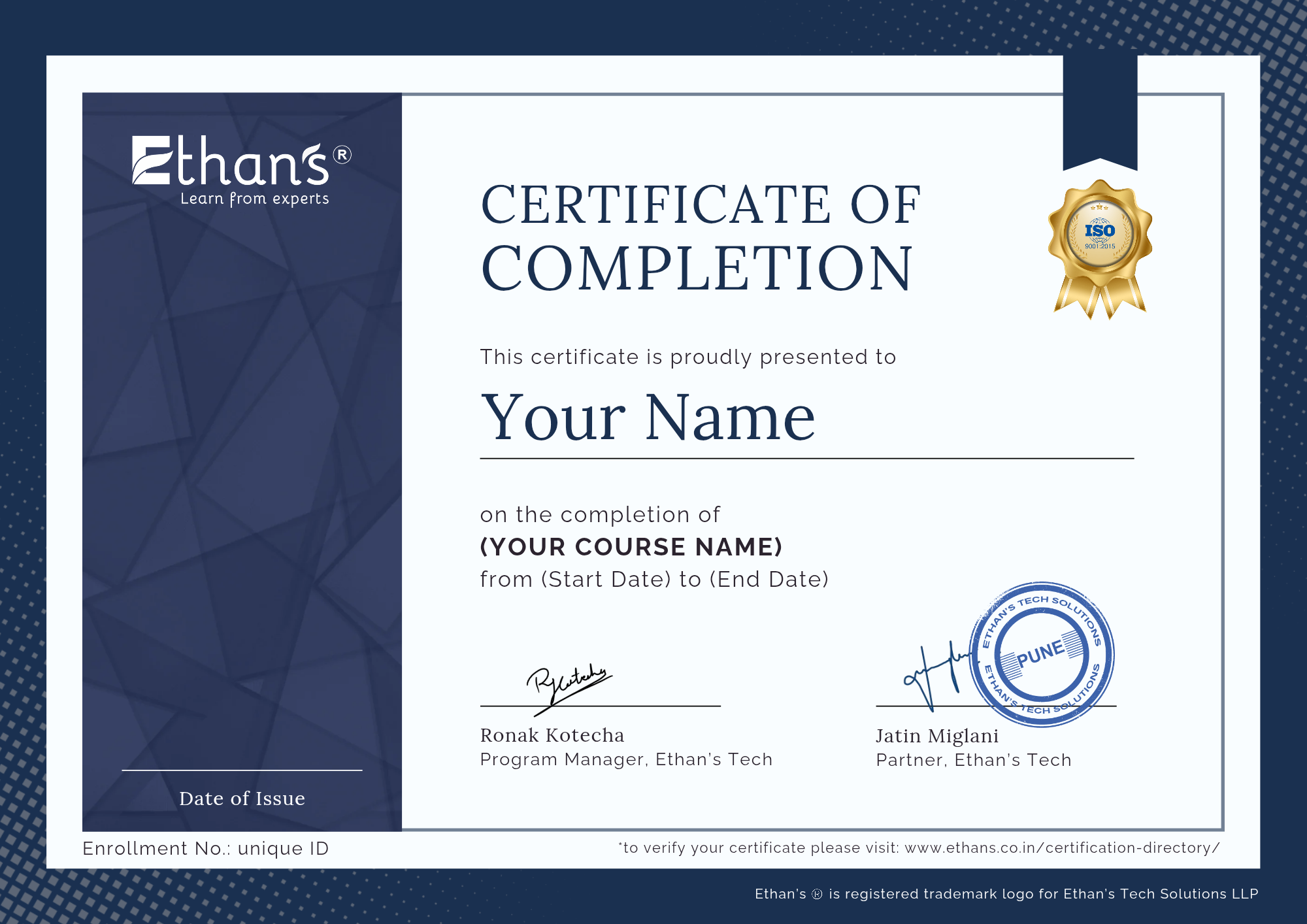
Validated Certification from Ethans Tech
Receive a professional certificate that validates your expertise and is recognized across leading IT companies.
Training Backed by Real-World Expertise
Ethans Tech follows a practical, hands-on training approach aligned with industry needs, boosting your job readiness.
Professional Credential for Career Growth
Showcase your technical skills with a credible certificate that strengthens your portfolio and improves hiring prospects.
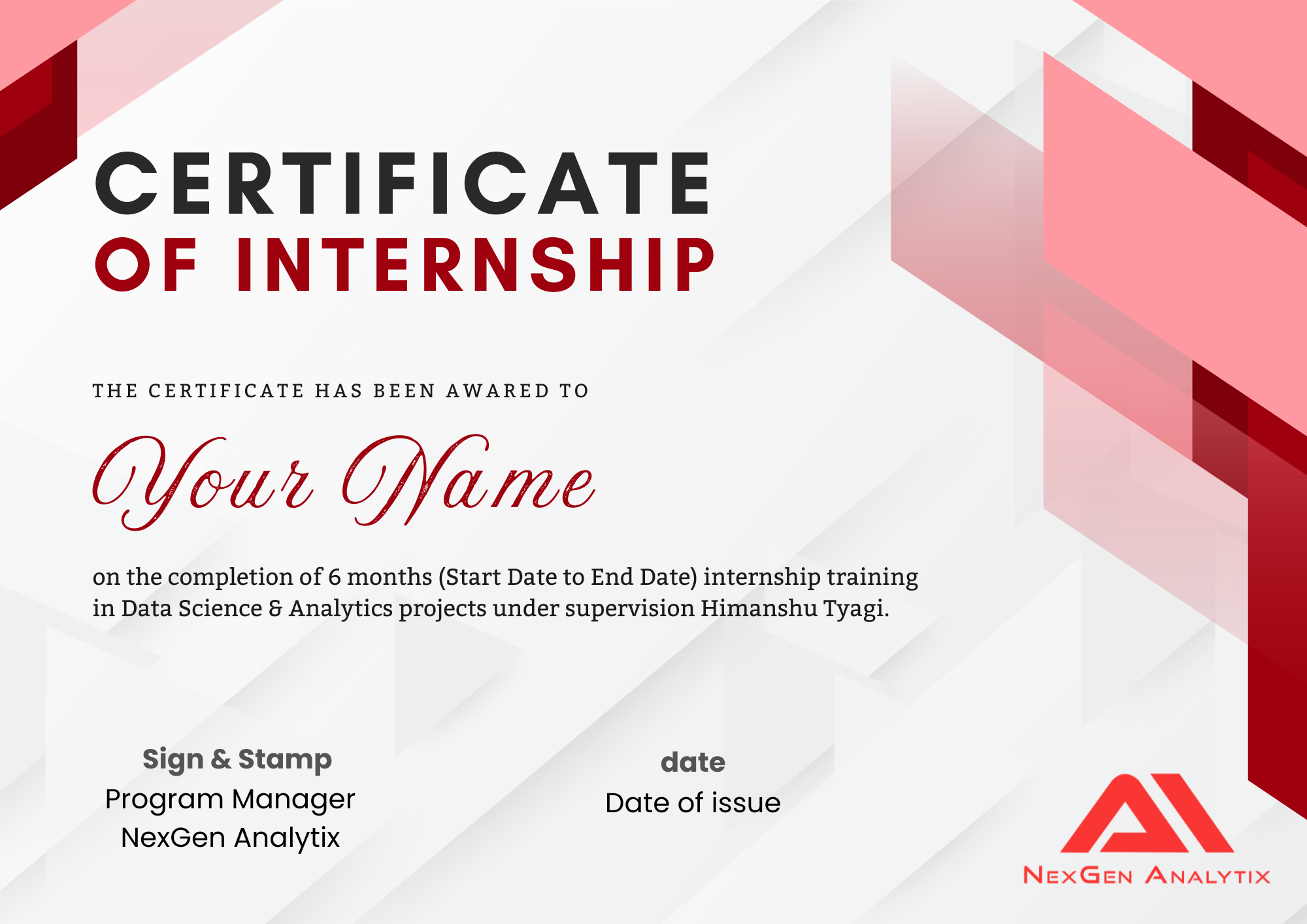
Internship Certificate by Nexgen Analytix
Gain an official internship certificate showcasing your practical experience and real-time project exposure.
Verified Industry Internship Recognition
Highlight your applied skills, teamwork, and domain knowledge through a certificate trusted by employers.
Career-Boosting Professional Doc
Add the internship certificate to your resume and LinkedIn to demonstrate hands-on experience and industry exposure.
Master 12+ In-demand Skills in Data Analytics Course
- Data Analytics Fundamentals
- Business Metrics & KPIs
- Data Collection & Cleaning
- Data Wrangling with Python/pandas
- Excel for Data Analysis
- Exploratory Data Analysis (EDA)
- Database Integration (MySQL, SQLite)
- SQL & Database Querying
- Predictive Analytics Basics
- Data Analysis with pandas & NumPy
- Data Visualization (Power BI, Tableau)
- Dashboard & Report Creation
Why to Join this Program
Guest Lectures by IIT professors
Virtual guest lectures by alumni and faculty from various IITs (separate from regular curriculum)
Ethan’s Tech Career Track
Flexible timelines to complete your course and projects at your own pace
IIT Approved Mentors
Get personalized guidance and career insights from experienced professionals
Advance Curriculum
Master concepts from basic to expert level through structured, applied learning
4.7

4.6

4.5

Next Batch Starts on
18th Jul
Why Choose Ethan’s Tech?

OTHERS
- Breadth and Depth of Curriculum
- Beginner-Friendly Bootcamp
- GenAI Integration
- Specialised Paths
- Projects Experience
- Alumni & Outcomes
- Hands-On Learning Model
- Mentorship & Faculty Access
- Comprehensive
- Structured Start
- Fully Applied
- Multiple Tracks
- Real-World & Personalized
- Large Network
- Applied & Practical
- Expert-Led
- Limited
- No On-Ramp
- Light Touch
- One Track
- Minimal & Fixed
- Small Base
- Theory-Heavy
- Basic Support
Our Alumni Works Here!

























What our Students Say
Ethan’s Tech played a key role in shaping my Python development skills. The course focused on core concepts with real-world applications. Trainers explained topics clearly and provided support. This training helped me gain confidence and secure my role as Python Developer at Automata Pvt. Ltd.





Sarthak Arsul







Cloud Engineer | Minutus Computing
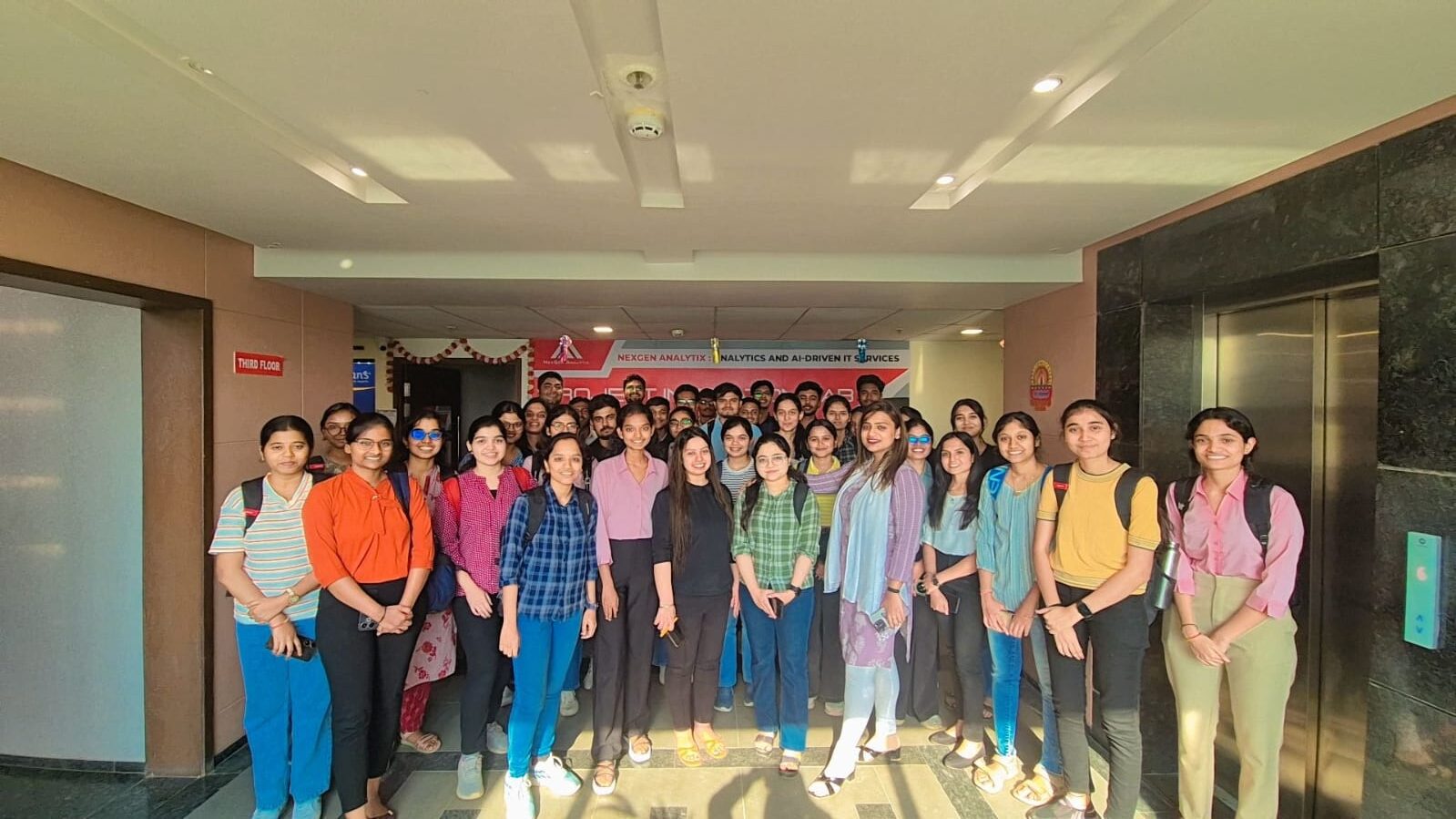
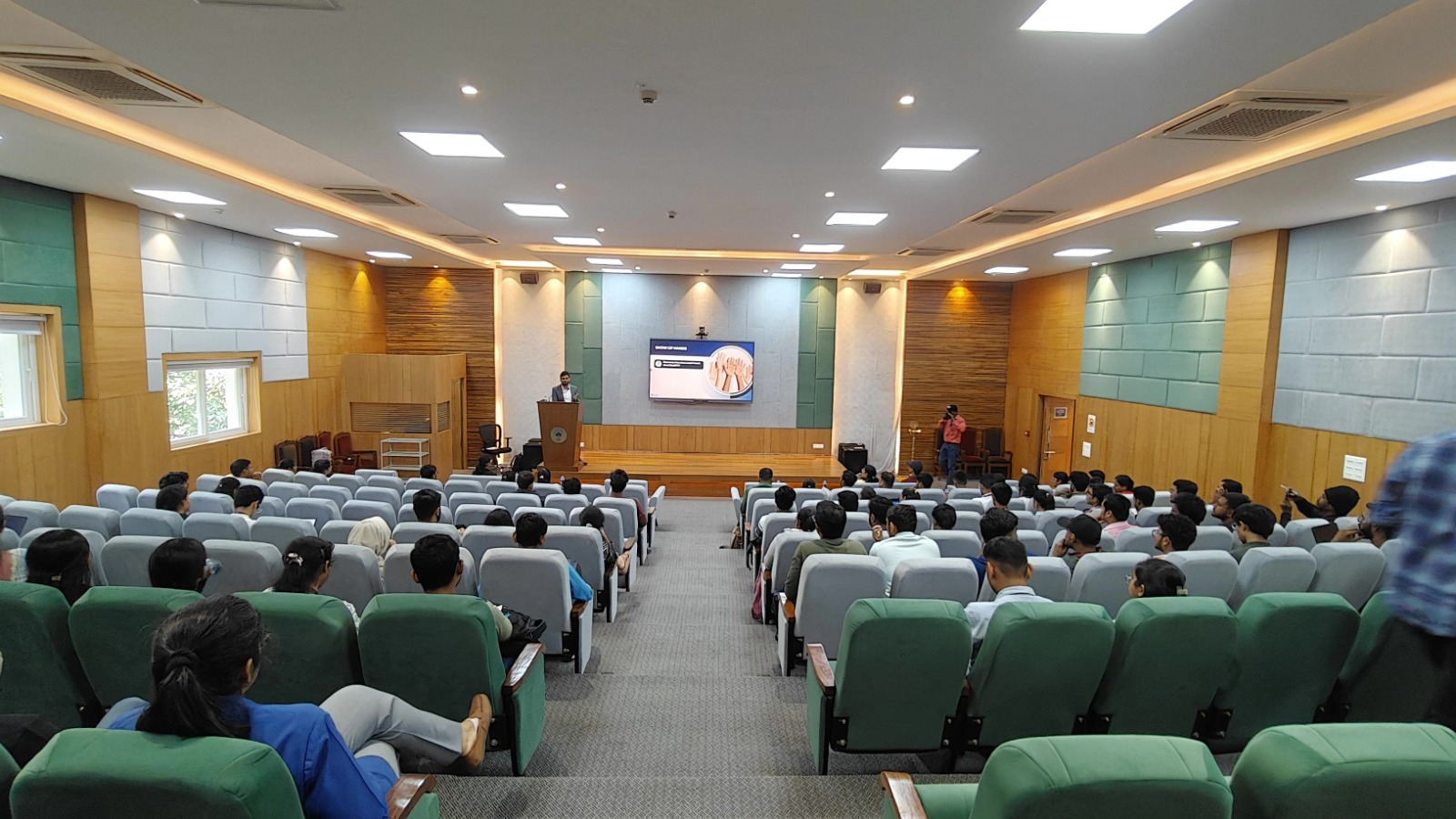
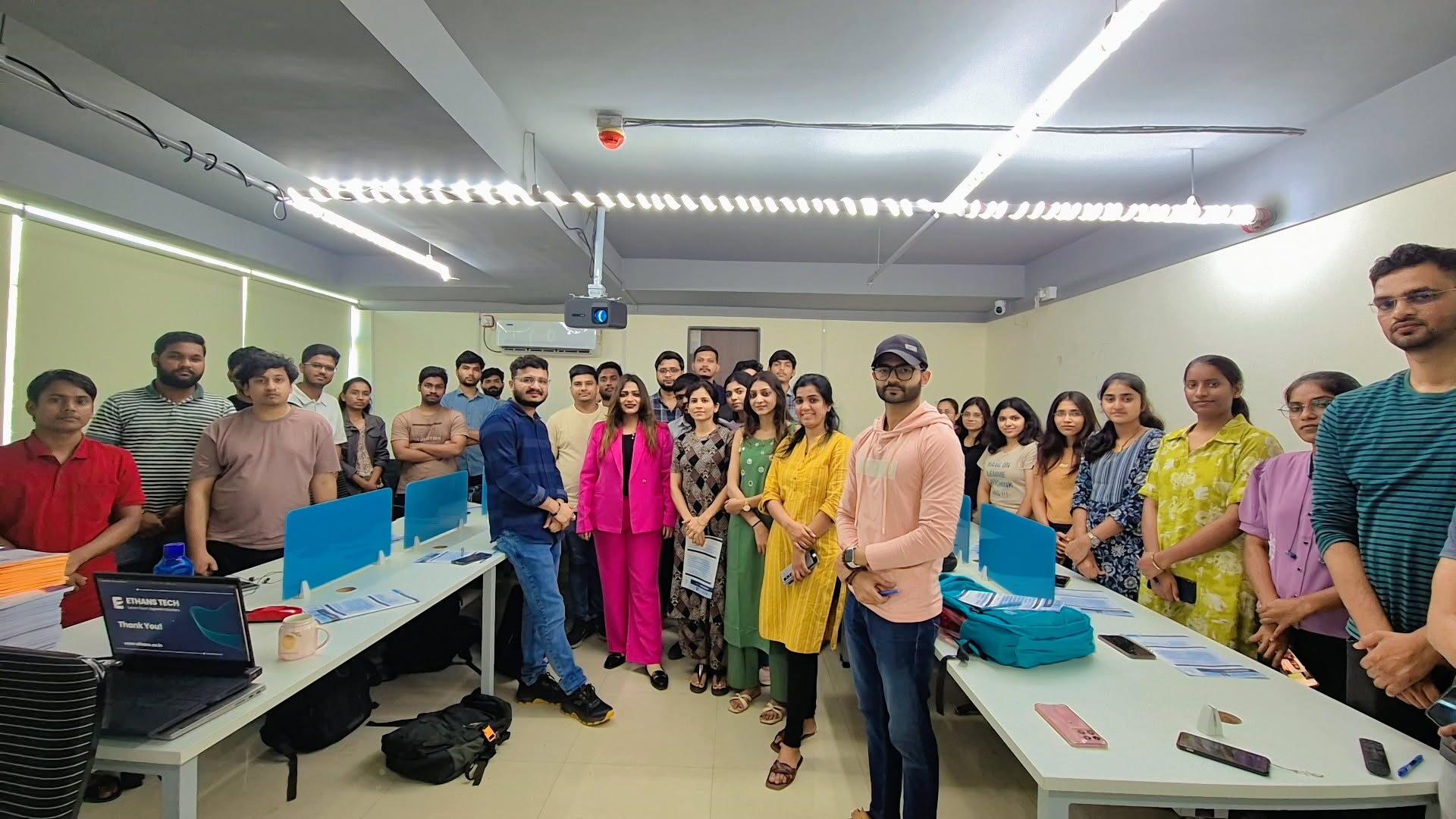
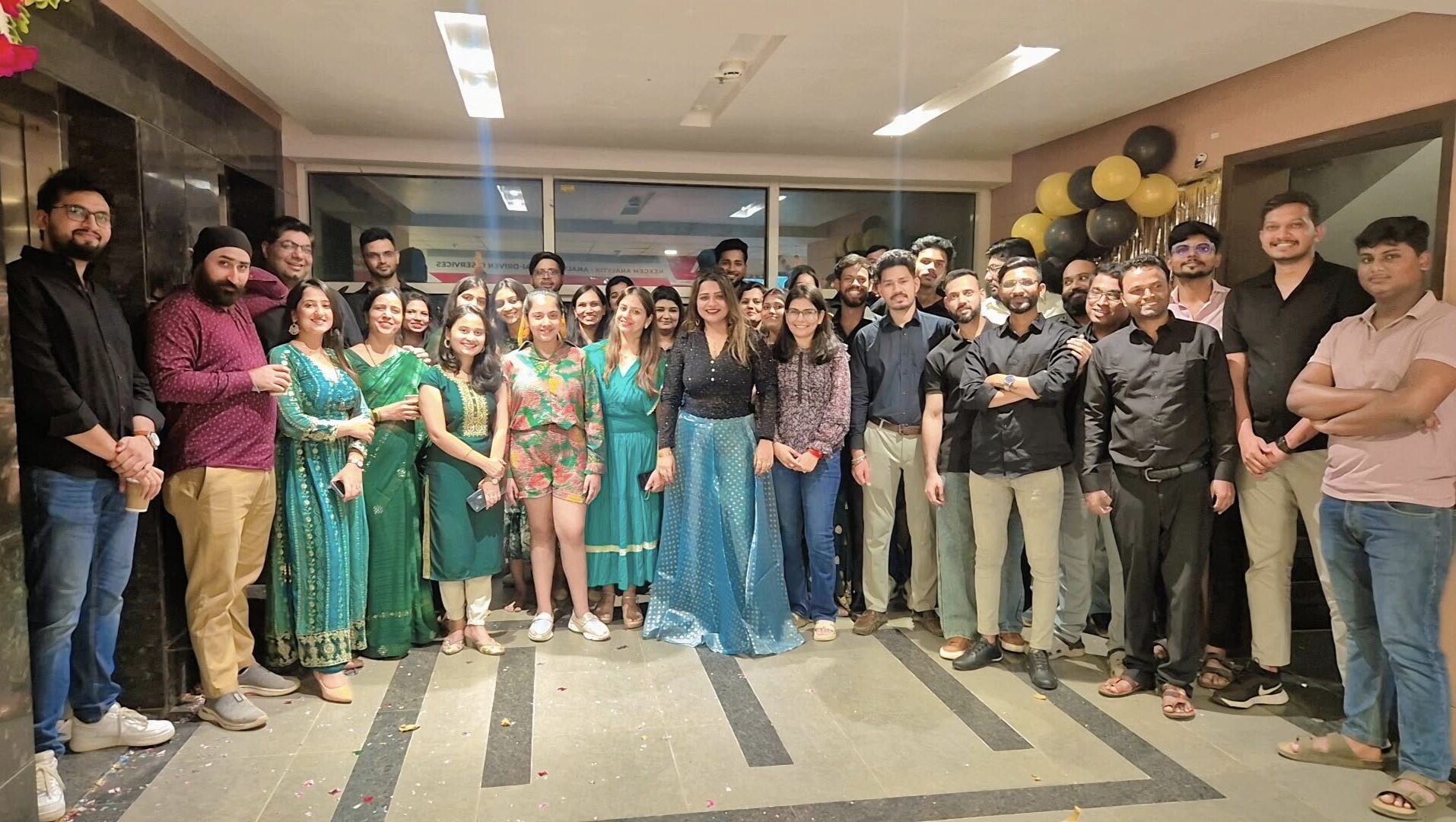
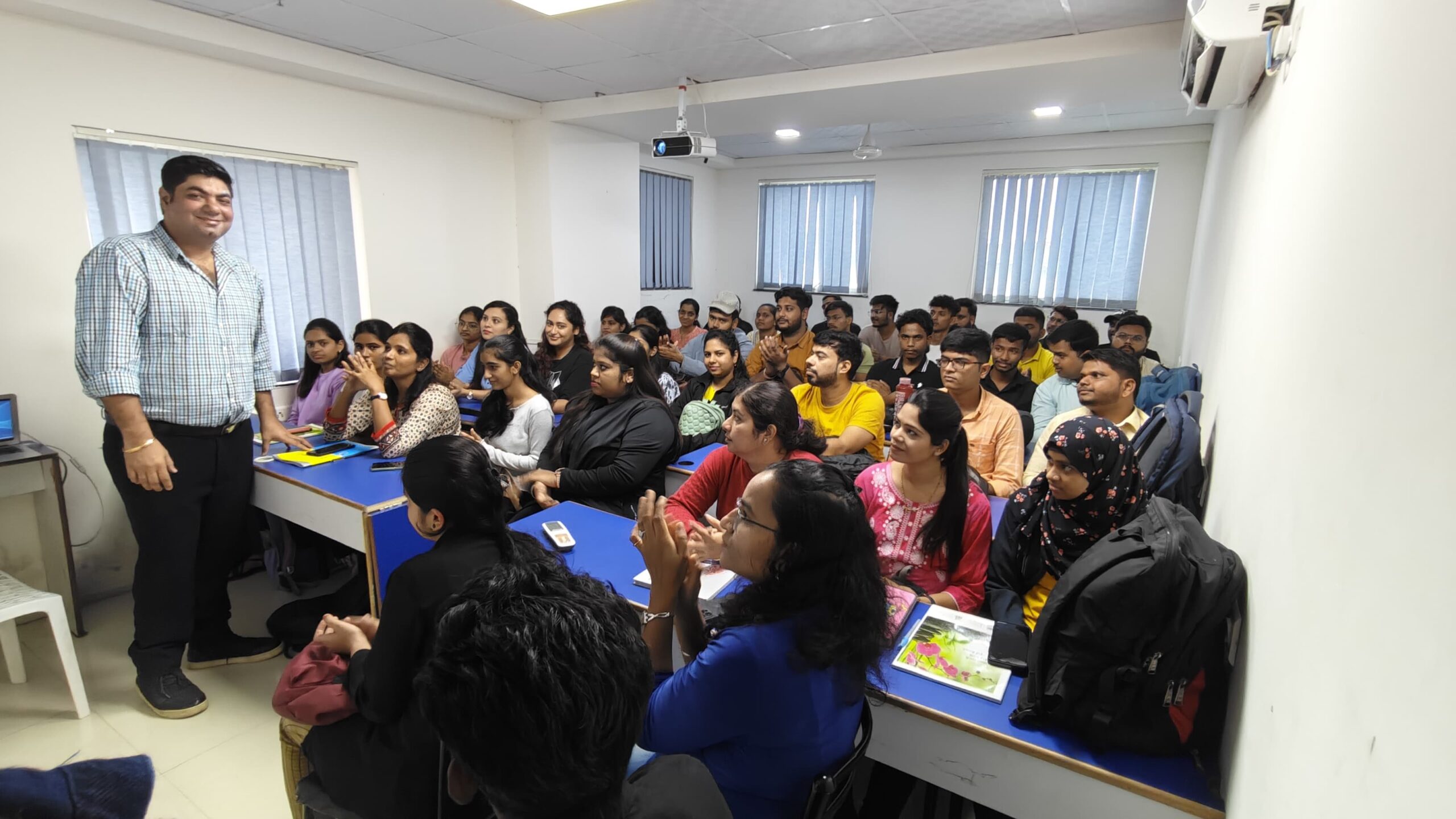
Ethan’s Office Tour
Ethans Tech is a leading professional training institute founded with the mission to bridge the gap between academic learning and real-world skills. With a strong presence in Pune and expanding across India, Ethans Tech has trained thousands of students and working professionals, helping them upgrade their careers in the most in-demand technologies.
The name “Ethans” represents a commitment to “education with excellence”. It’s not just a name; it’s a culture — built by passionate industry experts who believe in practical, hands-on learning rather than rote education. Every trainer at Ethan’s is a seasoned professional with real industry exposure, making the learning experience highly relevant, practical, and impactful.
At Ethans, it’s not just about completing a course — it’s about building a career.
Ethans Tech is a premier professional training institute dedicated to bridging the gap between academic education and real-world industry skills. Headquartered in Pune and expanding across India, Ethans Tech has empowered thousands of students and working professionals to advance their careers in today’s most in-demand technologies. With experienced industry trainers and a strong focus on practical, hands-on learning, the institute ensures highly relevant and career-oriented training that prepares learners to succeed in the professional world.
Get a Free Consultation!
Call us today and get your queries answered by our top experts.
Learners Profile
- 11% – College Graduates (Non-technical backgrounds)
- 23% – B.Tech & M.Tech Graduates (CS, IT, ME, CIVIL)
- 27% – BCA, B.Sc (IT/CS/Maths/Stats) Graduates
- 23% – Early Career Professionals (1–6 years of experience)
- 16% – Career Comeback Learners (with a gap in education or employment)
This blend of learners adds immense value to the learning experience — offering unique perspectives, fresh ideas, and real-world context to every session
Learner Profiles & Trusted Companies
Data Analytics Classes in Hyderabad FAQs
Everything you need to know about the program.
What if I have queries after I complete this course?
You will have access to the technical discussion forum lifetime, which will help you in resolving most of your doubts and queries. Eventually, you can connect with your respective faculty directly, else reach out to the nearest Ethans help desk for further assistance.
Who are the instructors?
Our faculties are all extensively experienced IT Industry experts and real time corporate trainers from renowned MNC’s with marvelous knowledge in the subject matter. In addition to their standard duties of imparting knowledge, faculties also undertake consulting assignments for leading Indian and Multinational Companies that gives practical exposure based on real time scenarios from their world of experience. Ethanians that upskill are able to vividly recall classes even after years. Such is the impact of our remarkable trainers on the students.
Will Ethans be providing any study materials?
Yes, Ofcourse. You will be provided with both, hard copies of the study material upon enrollment and soft copies will be shared by the respective faculties over the cloud during the program.
What types of courses are available at Ethans?
Ethans is a Market leader in Cloud, Automation and Analytics (such as Python, Data Science – Machine Learning, Artificial Intelligence, AWS, Azure, GCP, DevOps, Hadoop, Selenium, Robotics Process Automation, etc.) helps working professionals and freshers in enhancing skills in multiple technologies as per the market demand.
Does Ethans provide Job Assistance?
Does Ethans provide weekend classes for professionals?
What are the profiles and experiences of trainers at Ethans?
Do I need to pay the complete fee lump sum or I can have an installment facility too?
The fee which I will pay is refundable or transferable?
What are the facilities and infrastructure at Ethans?
Ethans has a presence at three locations in India: Hyderabad, Pune & Noida. However, the advanced certification program in Data Science and AI is available exclusively at our HITECH City location. We look forward to gradually expanding across India with your support. Ethans is equipped with state-of-the-art infrastructure that fosters a pleasant, academically rigorous, and stimulating environment for both students and faculty.
Does Ethans provide Online Training?
Does Ethans provide facility to repeat the batch?
Does Ethans provide Institutional Certification after the course?
Does Ethan's conduct training at Corporates?
Yes, we are frequently engaged in corporate training being the market leader with a big pool of corporate trainers having a wide network with collaboration with several top MNC’S that ultimately becomes an add-on for placing our students with such references.


